FREE STEP-BY-STEP GUIDE
How to sync your Airbnb and Booking.com calendars for free
In this guide we show you, step by step, how to connect your Airbnb and Booking.com calendars for free. We also explain why this free setup still leaves you open to double bookings that can cost you money, and how Hosthub stops them, with a guarantee to back it up.
On Airbnb: copy your calendar link
Log in to Airbnb on your computer.
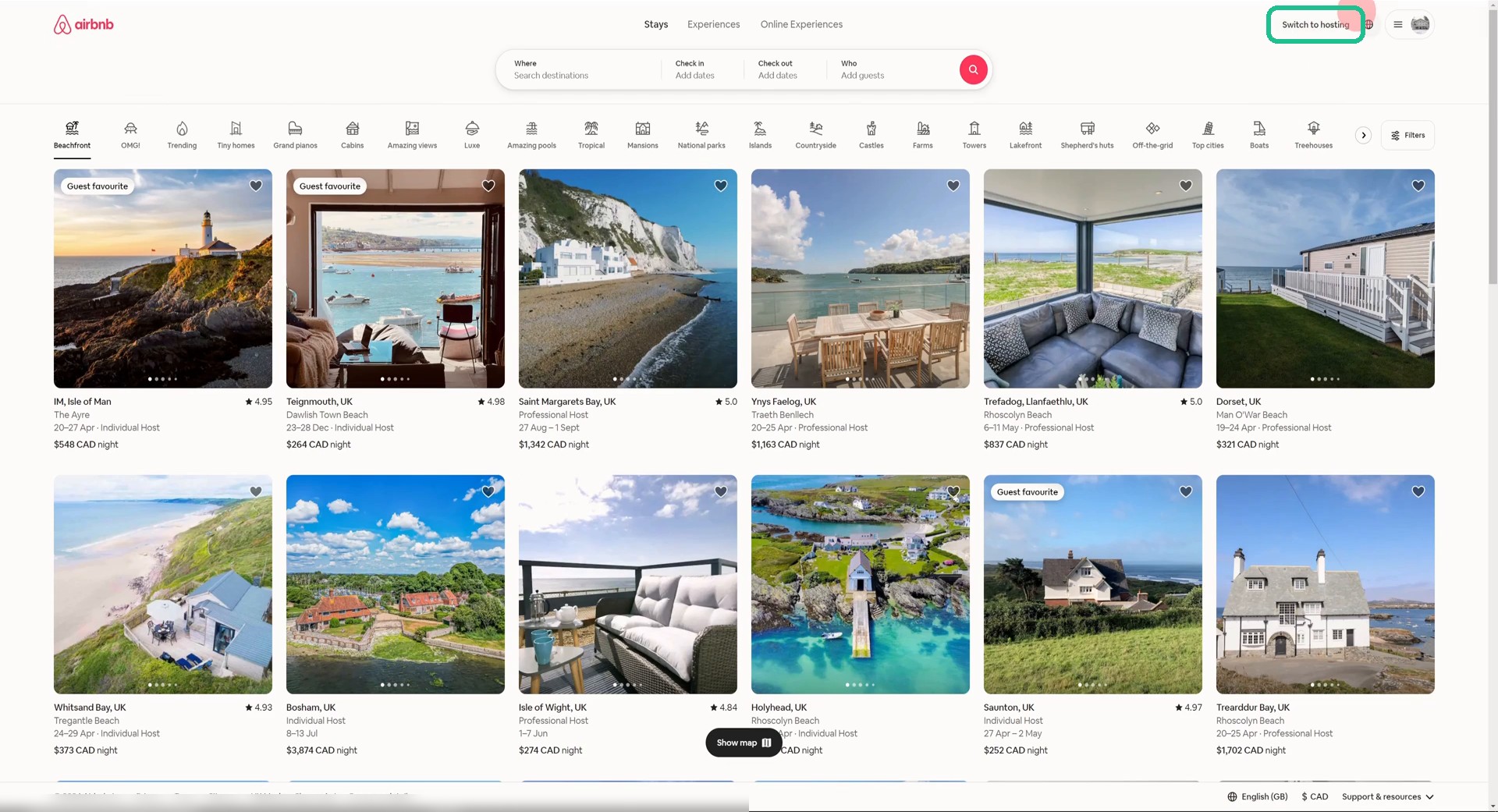
Click “Switch to hosting”
It’s in the top right corner of the page.
Tap to enlarge
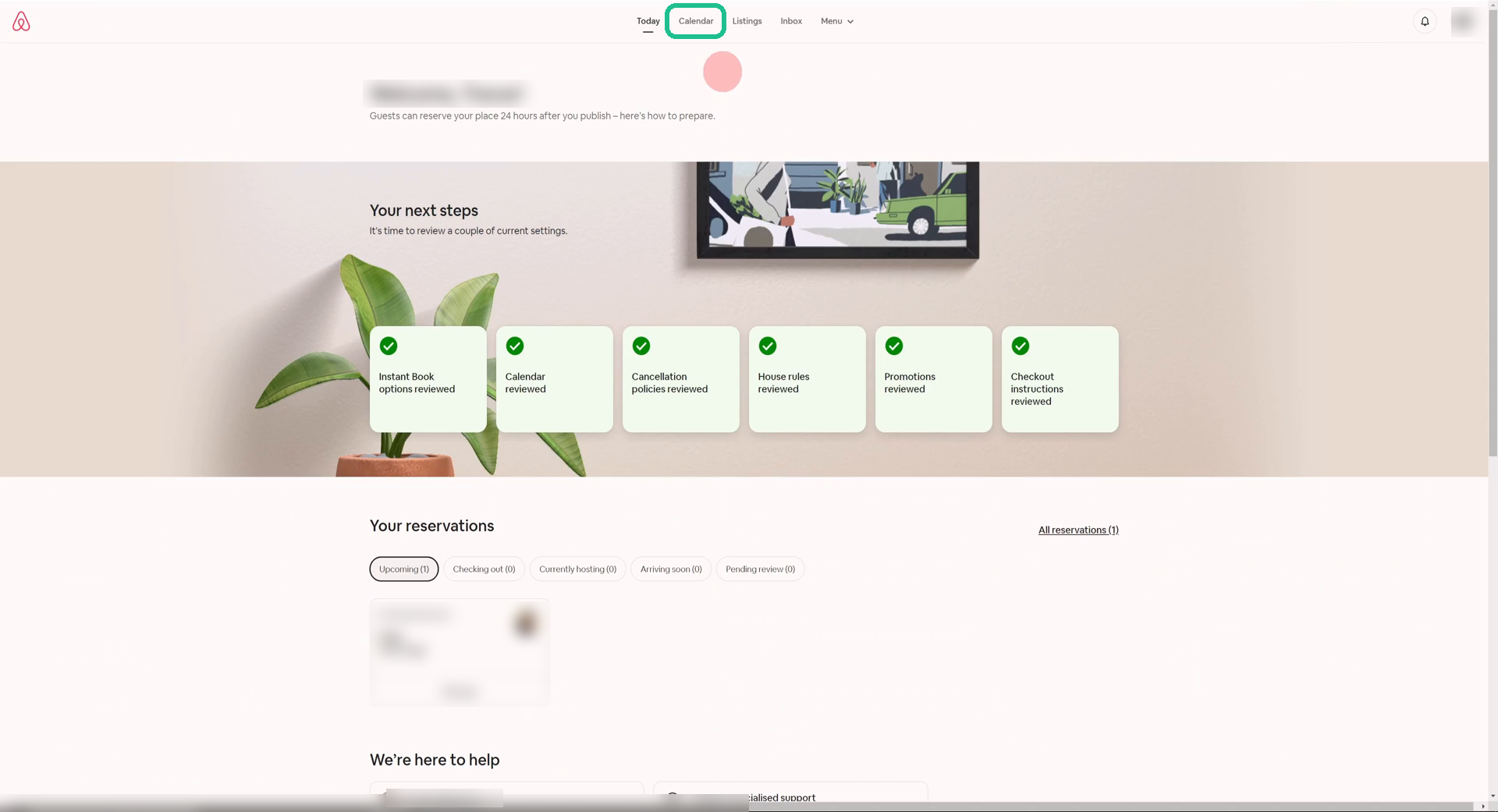
Open Calendar
Click Calendar in the menu at the top of your hosting dashboard.
Tap to enlarge
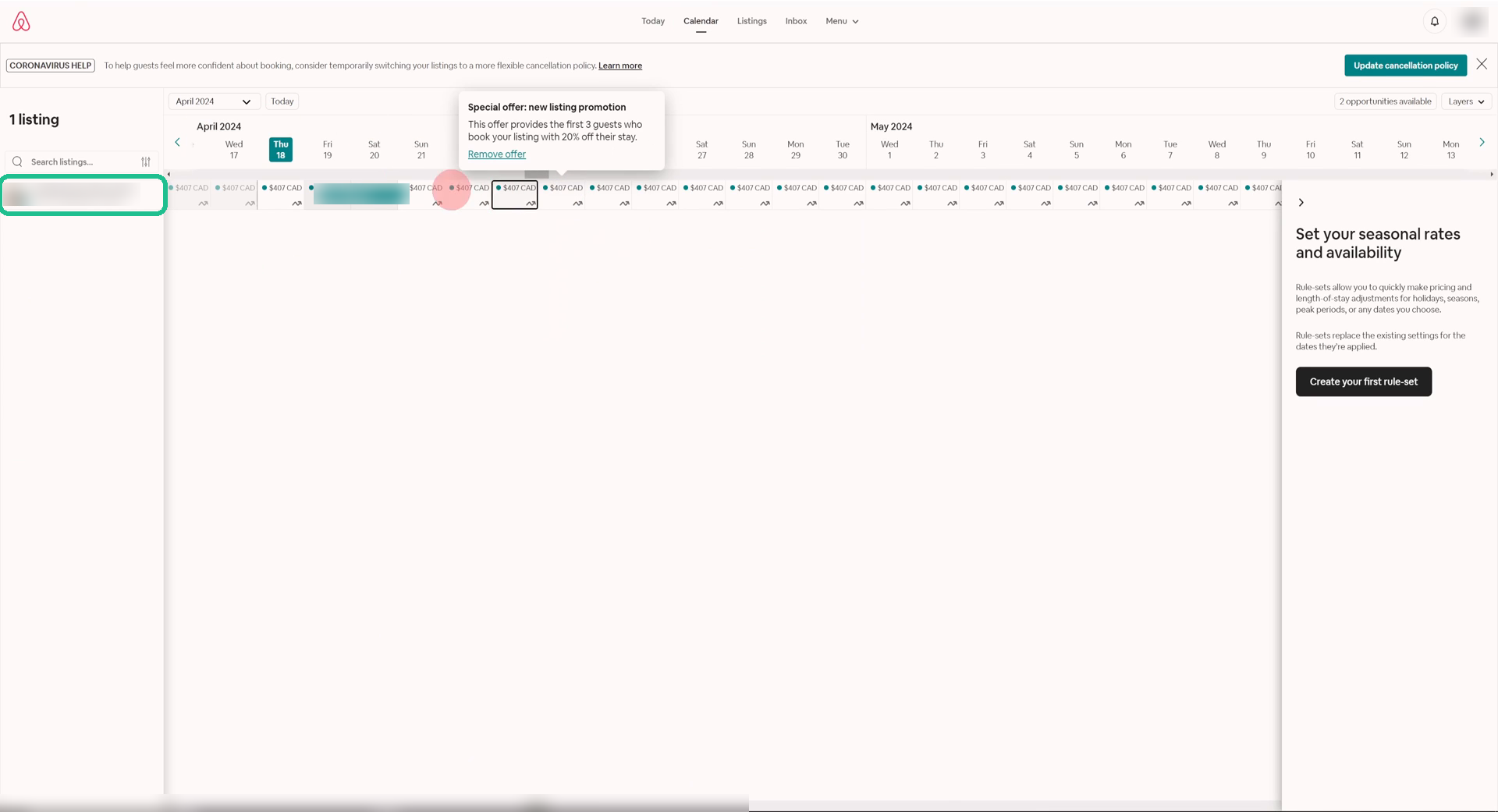
Click your listing
Click the listing name on the left. Its calendar opens in a bigger view.
Tap to enlarge
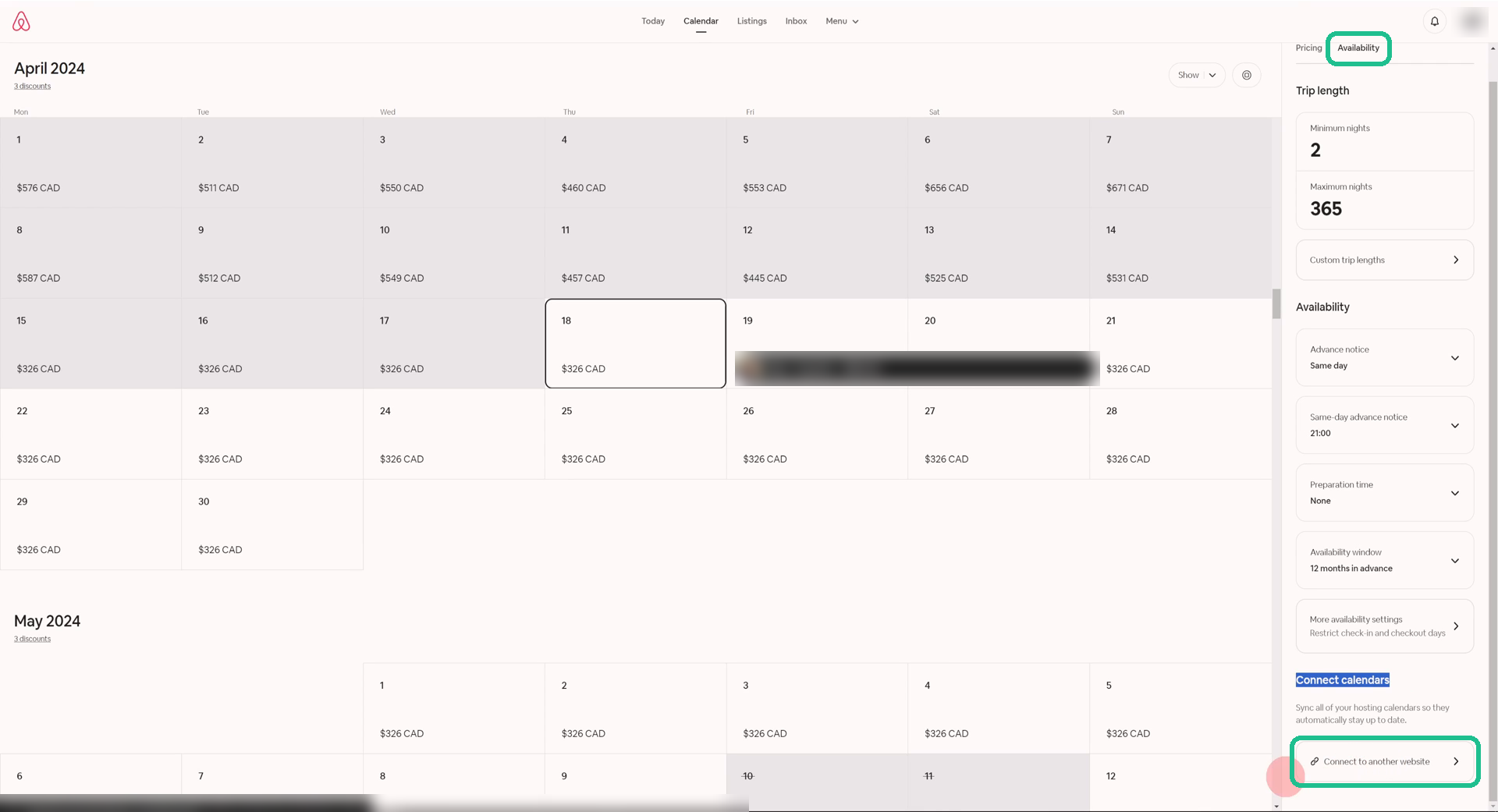
Availability → Connect to another website
In the panel on the right, open the Availability tab. Scroll to the bottom to Connect calendars and click Connect to another website.
Tap to enlarge
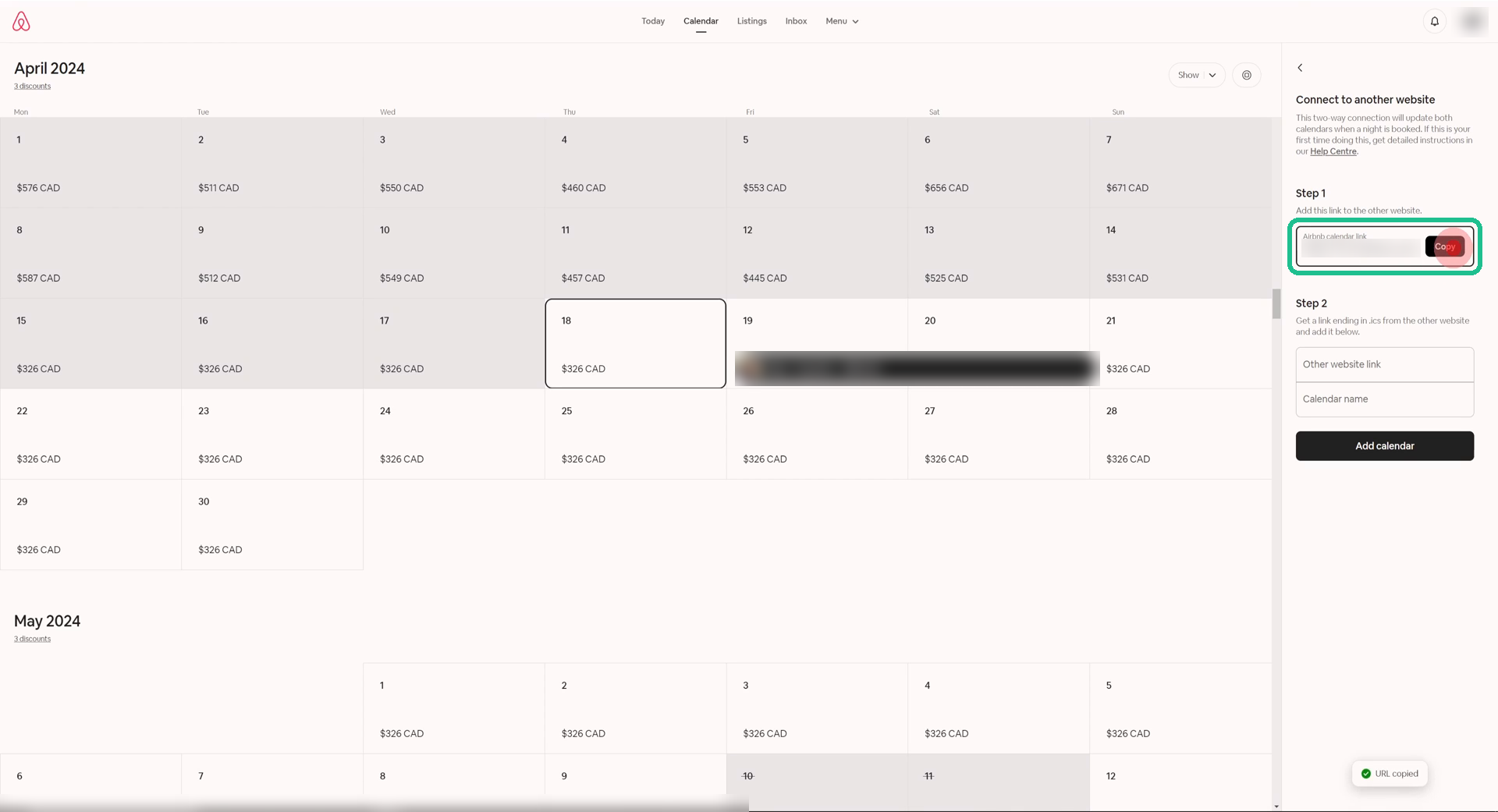
Copy your Airbnb calendar link
Under Step 1, click Copy. Leave this tab open; you’ll come back to it in step 10.
Tap to enlarge
On Booking.com: import Airbnb and copy your link
Open the Booking.com Extranet in a new tab.
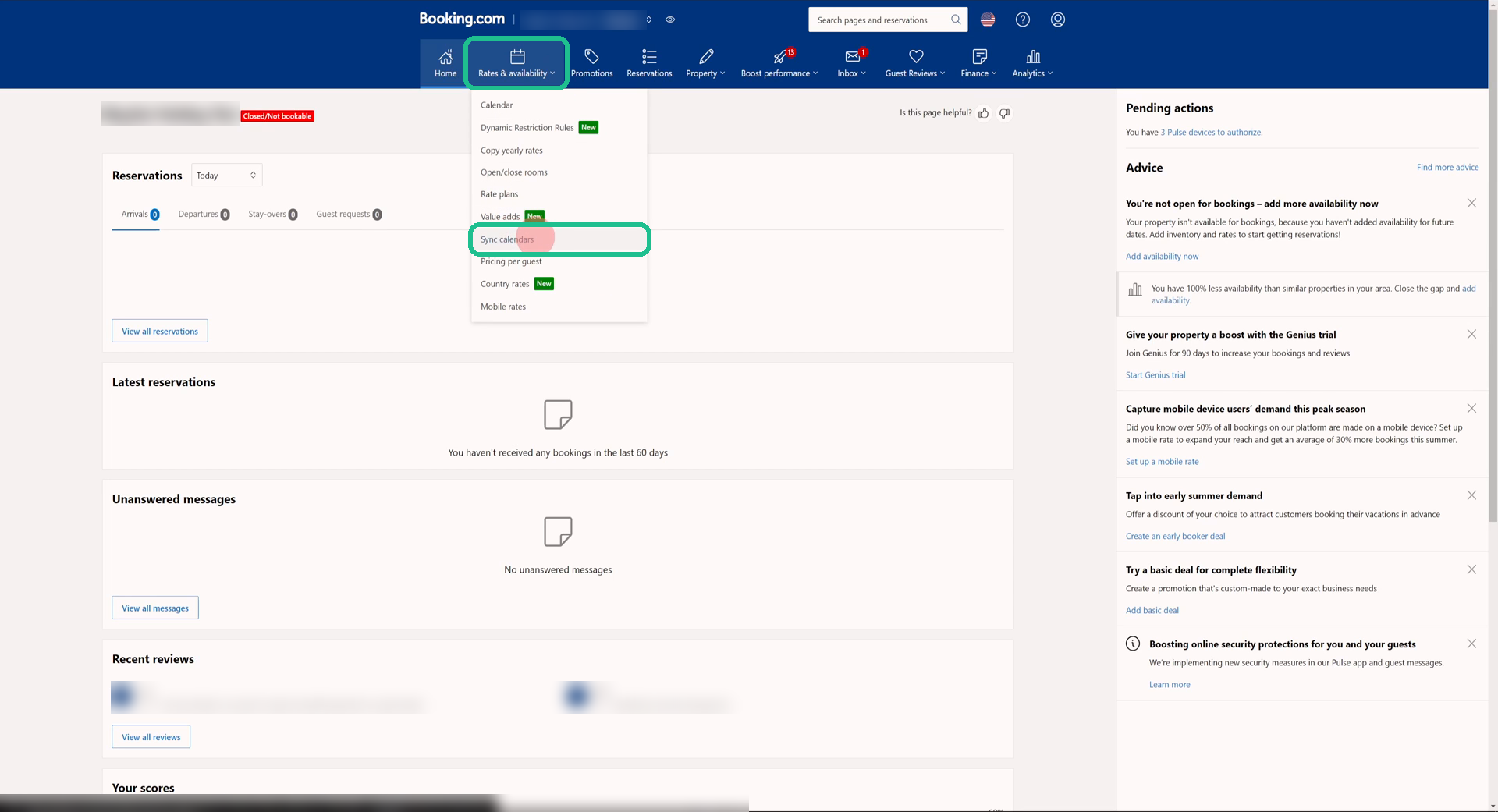
Rates & availability → Sync calendars
In the top menu, open Rates & availability and click Sync calendars.
Tap to enlarge
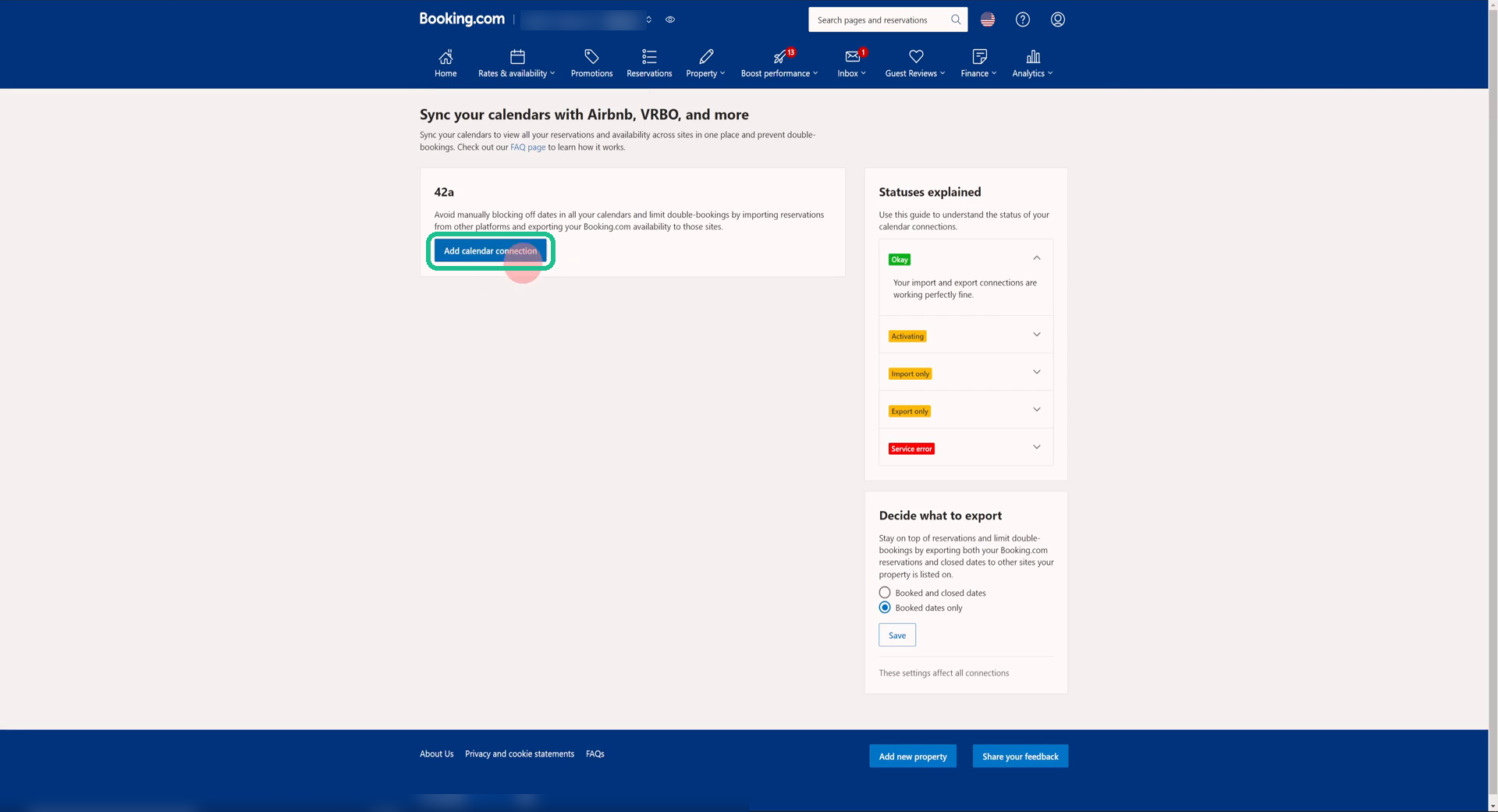
Click “Add calendar connection”
If you have more than one room or unit, use the button for the one you’re linking.
Tap to enlarge
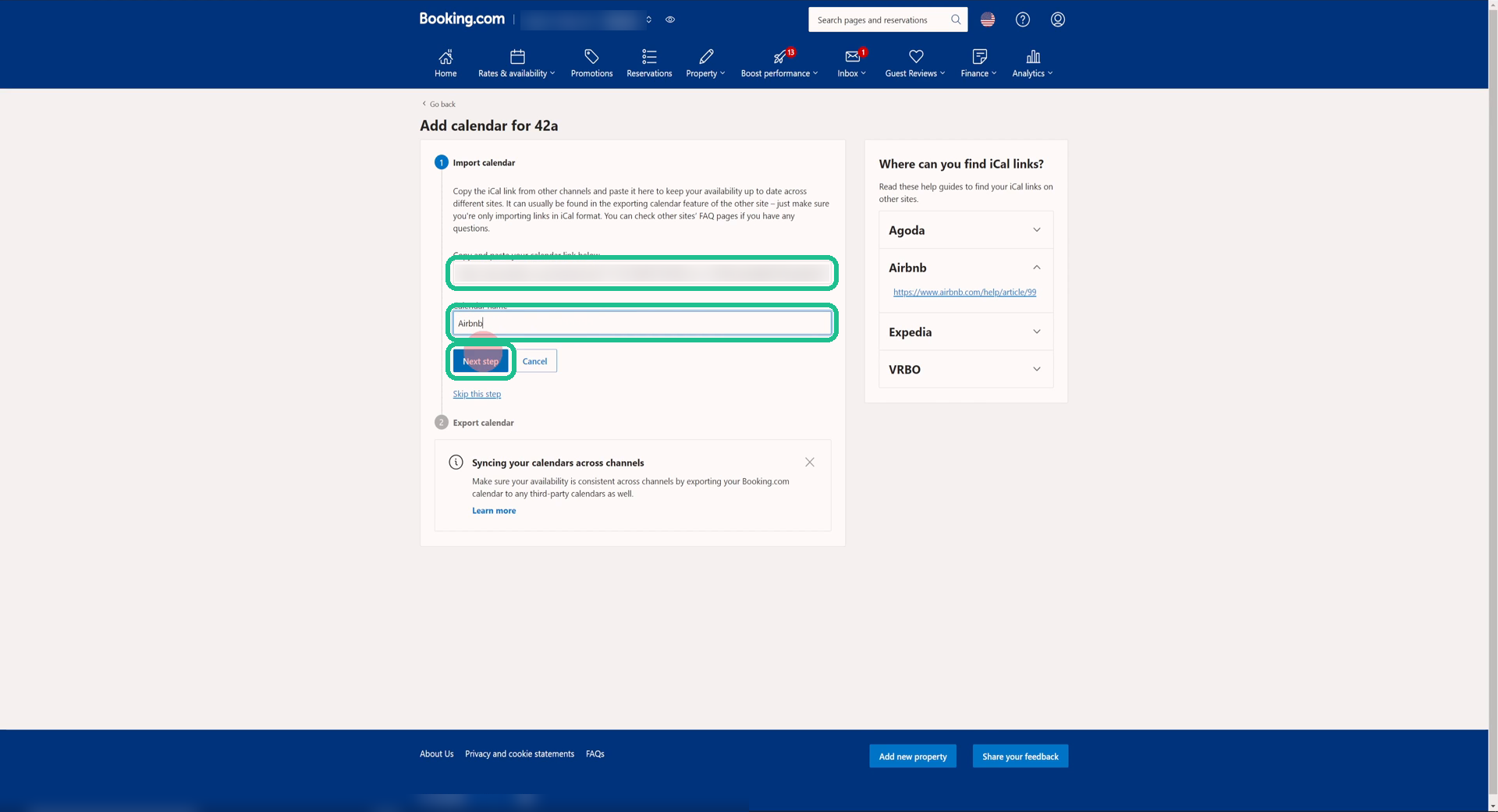
Paste the Airbnb link and name it
Paste the link you copied in step 5. Call it Airbnb, then click Next step.
Tap to enlarge
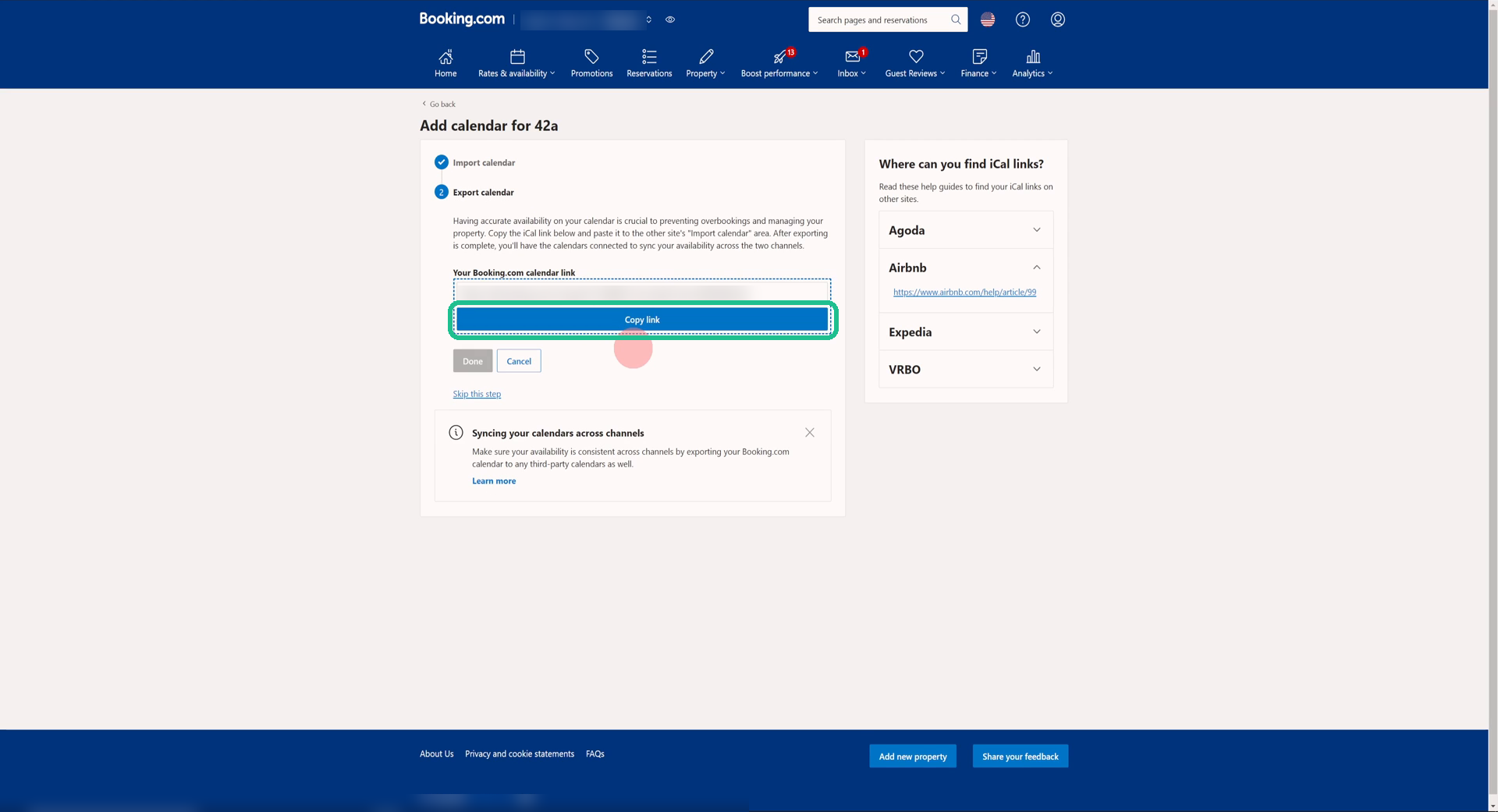
Copy your Booking.com calendar link
Booking.com now shows its own link. Click Copy link, then go back to your Airbnb tab.
Tap to enlarge
Back on Airbnb: add Booking.com
Same Airbnb screen as step 5.
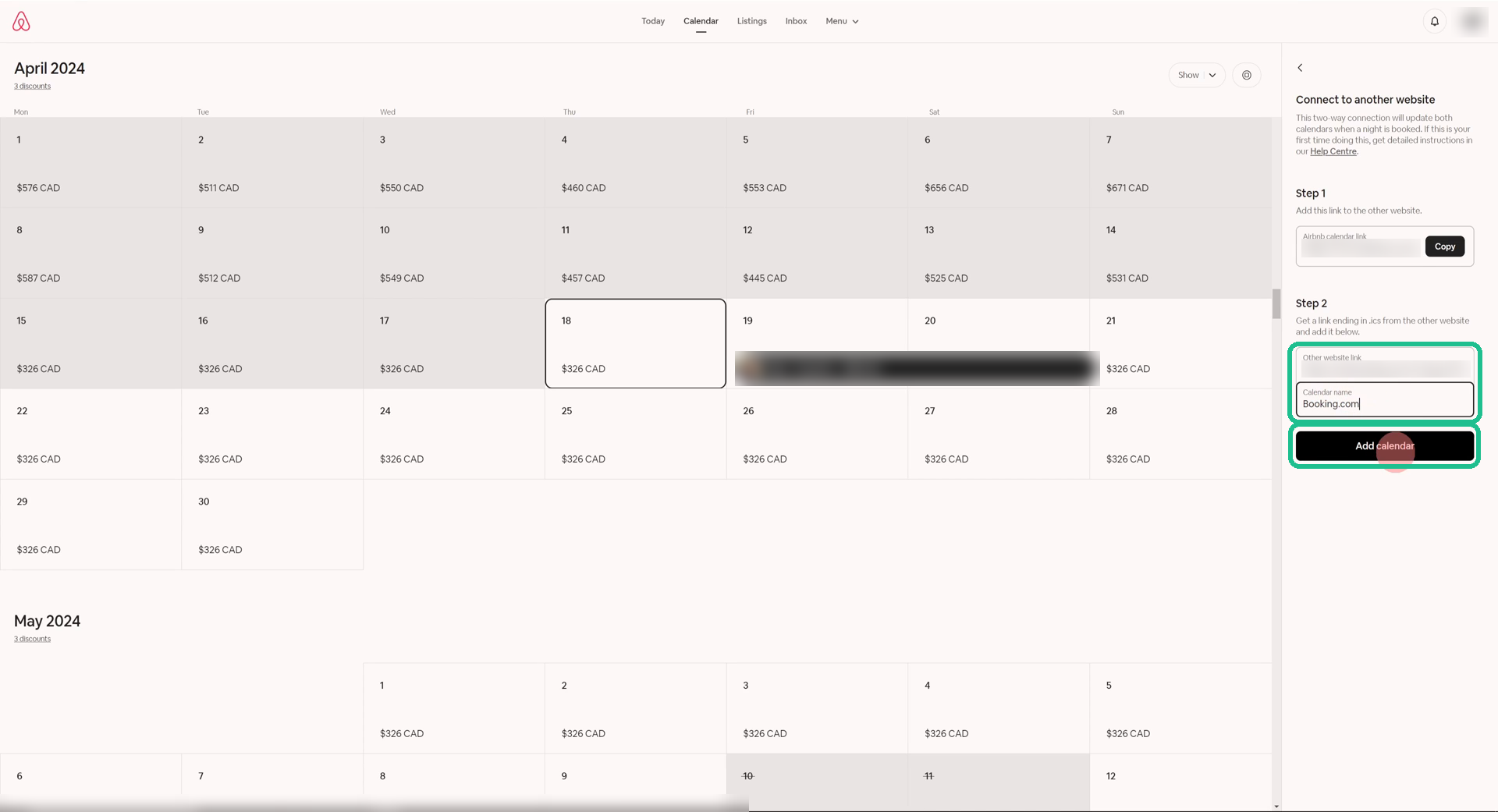
Paste the Booking.com link and click “Add calendar”
Under Step 2, paste the Booking.com link, name it Booking.com and click Add calendar.
Tap to enlarge
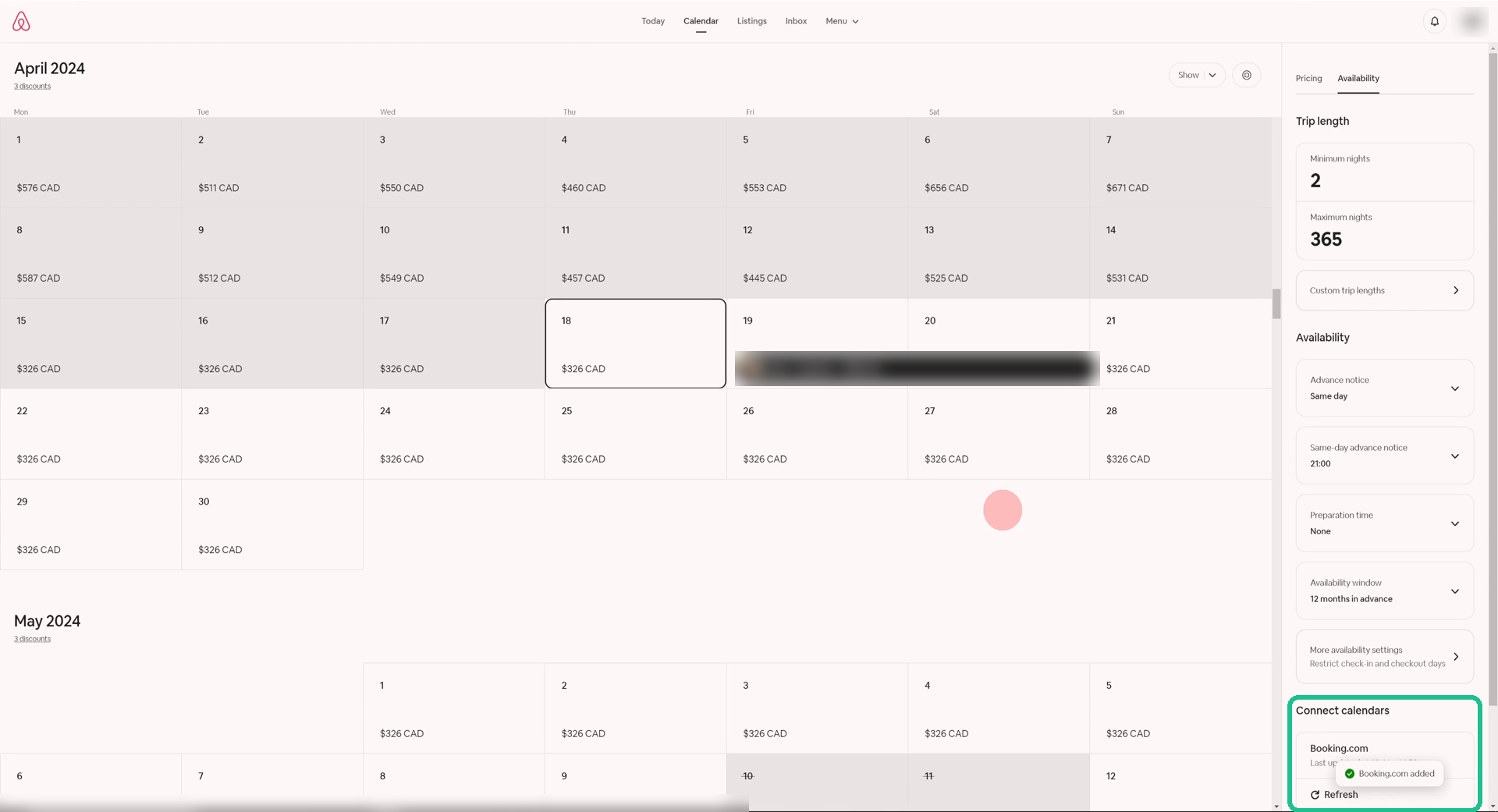
Check it’s connected
Booking.com now appears under Connect calendars. Back in the Booking.com Extranet, finish with Done.
Tap to enlarge
⚠ DONE, BUT YOU’RE NOT SAFE YET
Your calendars are connected. You can still get double bookings.
The two sites don’t update each other in real time. Each one only checks the other every few hours, so a guest can still book nights that were just taken on the other site.
THE CATCH
Free sync isn’t instant. That’s how double bookings happen.
Airbnb and Booking.com don’t talk to each other in real time. Each one checks the other’s calendar only every few hours, usually around 4 and sometimes up to 12. Until it checks, the dates still look free.
They’re competitors
Airbnb and Booking.com compete for the same bookings. Neither has much reason to make the other’s calendar update faster.
You can’t control the timing
Each site decides when to check the other’s calendar. Busy weekends and last-minute bookings are where the gap bites.
Only dates sync
Calendar links only block nights. Prices, minimum stays and restrictions still have to be changed on each site by hand.
THE FIX
Sync in near real time with Hosthub
Hosthub is a channel manager. It connects to Airbnb and Booking.com directly, so a booking on one site closes the dates on the other in near real time, not hours later.
Free calendar links
- Updates every few hours, up to 12
- Only blocks dates
- Set up again for every listing
- No help when something breaks
Hosthub
- Updates in near real time
- Dates, prices and rules from one place
- All your listings and channels in one calendar
- Real people on hand, 24/7
Zero Double Booking Guarantee
If a double booking happens because of us, we cover it: up to $150 on Standard, or $500 on Pro.
Real people, 24/7
Talk to a real person any time, day or night, usually within minutes. They stay with you until it’s solved.
AI co-host built in
It answers around 90% of guest questions for you, around the clock. Included in the Pro plan.
Free onboarding
Set up on your own in minutes, or our team sets everything up for you at no cost.
Quick answers
Is syncing Airbnb and Booking.com calendars free?
Yes. Both sites let you swap calendar links (called iCal links) at no cost. The trade-off is the delay between updates.
How often do the calendars update?
Each site decides when to check the other. In practice it’s usually every few hours, around 4, and it can take up to 12. You can’t force an instant update.
Can I do this from the Airbnb or Booking.com app?
Not fully. Use a computer. Some of these settings aren’t in the phone apps.
Does it sync prices too?
No. Calendar links only block booked dates. A channel manager like Hosthub keeps prices, availability and restrictions in sync from one place.
What if I also list on Vrbo or Expedia?
You need a separate pair of links for every site and every listing, and each one adds another delay. With Hosthub, every channel updates from one calendar.
Stop worrying about the next double booking
Try Hosthub free for 14 days. Set it up yourself in minutes, or let our team do it for you.
Airbnb and Booking.com are trademarks of their respective owners. Hosthub is not affiliated with or endorsed by them. Screens shown may differ slightly from what you see, as both sites update their layouts. Update timings are typical and not guaranteed by either site. Double-booking guarantee terms apply.