To sync your Airbnb calendar with Google Calendar, copy your listing’s calendar link from Airbnb (Calendar › Availability › Connect calendars › Connect to another website), then in Google Calendar on a computer go to Other calendars › + › From URL and paste it. For Apple Calendar, use File › New Calendar Subscription on a Mac, or Add Calendar › Add Subscription Calendar on an iPhone. You will see your Airbnb bookings next to your personal events, but the sync is one-way and delayed, so it will not stop double bookings.
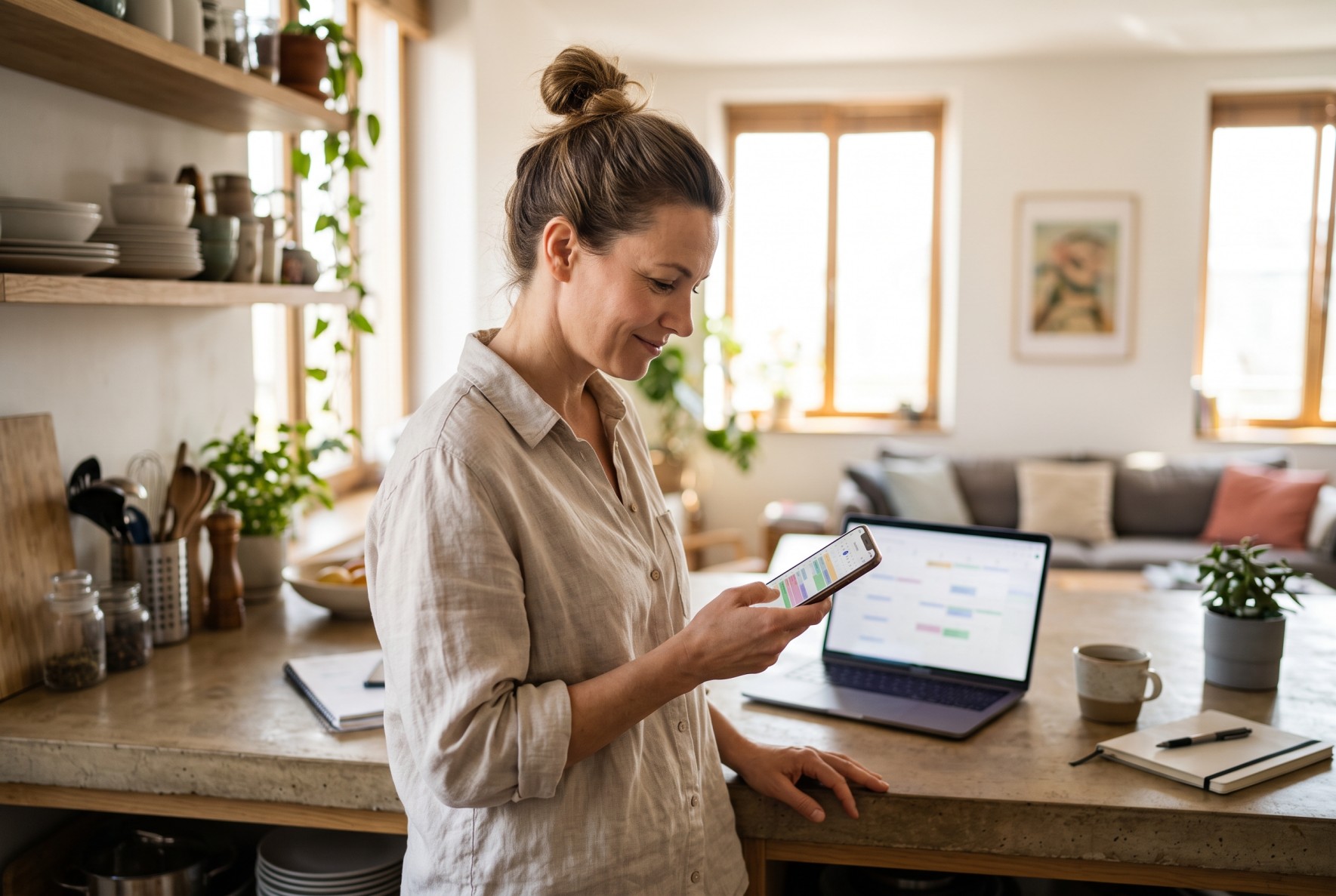
Seeing your Airbnb reservations in the calendar you already use every day is genuinely useful. You can plan cleanings around your own appointments, share the schedule with a partner or cleaner, and check who is arriving without opening the Airbnb app.
But many hosts set this up expecting it to keep their listings in sync, and it does not. Below are the exact steps for Google Calendar and Apple Calendar, what you will and will not see, and what to use instead if your goal is to avoid double bookings.
In this guide
- Step 1: Copy your Airbnb calendar link
- Step 2a: Add it to Google Calendar
- Step 2b: Add it to Apple Calendar (iPhone and Mac)
- What you will (and won’t) see
- Why this won’t stop double bookings
- What to use instead
- FAQ
Step 1: Copy your Airbnb calendar link
Every Airbnb listing has its own calendar link, an iCal address ending in .ics. If you have several listings, repeat this for each one.
- Sign in to Airbnb on a computer and switch to hosting.
- Open Calendar and select the listing.
- Open the Availability settings and scroll to Connect calendars.
- Choose Connect to another website.
- Copy the Airbnb calendar link.
Keep this link private. Anyone who has it can see when your listing is booked.
Step 2a: Add your Airbnb calendar to Google Calendar
You need a computer for this step. The Google Calendar mobile app cannot add a calendar from a URL, although the calendar will show up on your phone once it is added.
- Open calendar.google.com on a computer.
- In the left sidebar, next to Other calendars, click +.
- Choose From URL.
- Paste your Airbnb calendar link and click Add calendar.
- The calendar appears under Other calendars. Hover over it, click the three dots and give it a clear name and color, for example “Airbnb – Beach House”.
To see it on your phone, open the Google Calendar app, go to Settings, tap the calendar and make sure Sync is on.
Step 2b: Add your Airbnb calendar to Apple Calendar
On iPhone or iPad
- Open the Calendar app and tap Calendars.
- Tap Add Calendar, then Add Subscription Calendar.
- Paste your Airbnb calendar link and tap Subscribe (or Find on iOS 26).
- Give it a name and a color, choose iCloud as the account so it appears on all your Apple devices, and tap Add (or Done).
On a Mac
- Open Calendar and choose File › New Calendar Subscription.
- Paste your Airbnb calendar link and click Subscribe.
- Name it, pick a color, set Location to iCloud, and set Auto-refresh to the shortest interval offered.
- Click OK.
What you will (and won’t) see
Swipe the table to the right to see all columns ➜
| You will see | You won’t see |
|---|---|
| Booked dates as all-day events, usually titled “Reserved” | The guest’s full name, number of guests or payout |
| Dates you blocked manually, usually as “Not available” | Check-in and check-out times |
| Bookings for one listing per calendar link | Bookings from Booking.com, Vrbo or your website, unless you add their links too |
| New bookings, after a delay | Changes in real time |
You can only view these events. Deleting or moving one in Google or Apple Calendar does nothing on Airbnb, and the next refresh simply puts it back.
Why syncing with Google Calendar won’t stop double bookings
It is easy to assume that if all your bookings are in one calendar, you are protected. You are not, for three reasons.
1. It only works one way
Google Calendar and Apple Calendar read your Airbnb calendar. They never send anything back. A booking on Booking.com that shows up in your Google Calendar does not block those dates on Airbnb, so both sites keep selling the same nights until you close them by hand.
2. It is slow
Subscribed calendars are not updated in real time. Google does not publish its refresh schedule, and subscribed calendars commonly update only every 12 to 24 hours. Apple refreshes on its own schedule too. Even the iCal links between booking sites themselves are slow: Airbnb says it updates imported calendars about every 3 hours, and across the sites Hosthub connects, iCal delays average around 2 hours and can reach 12.
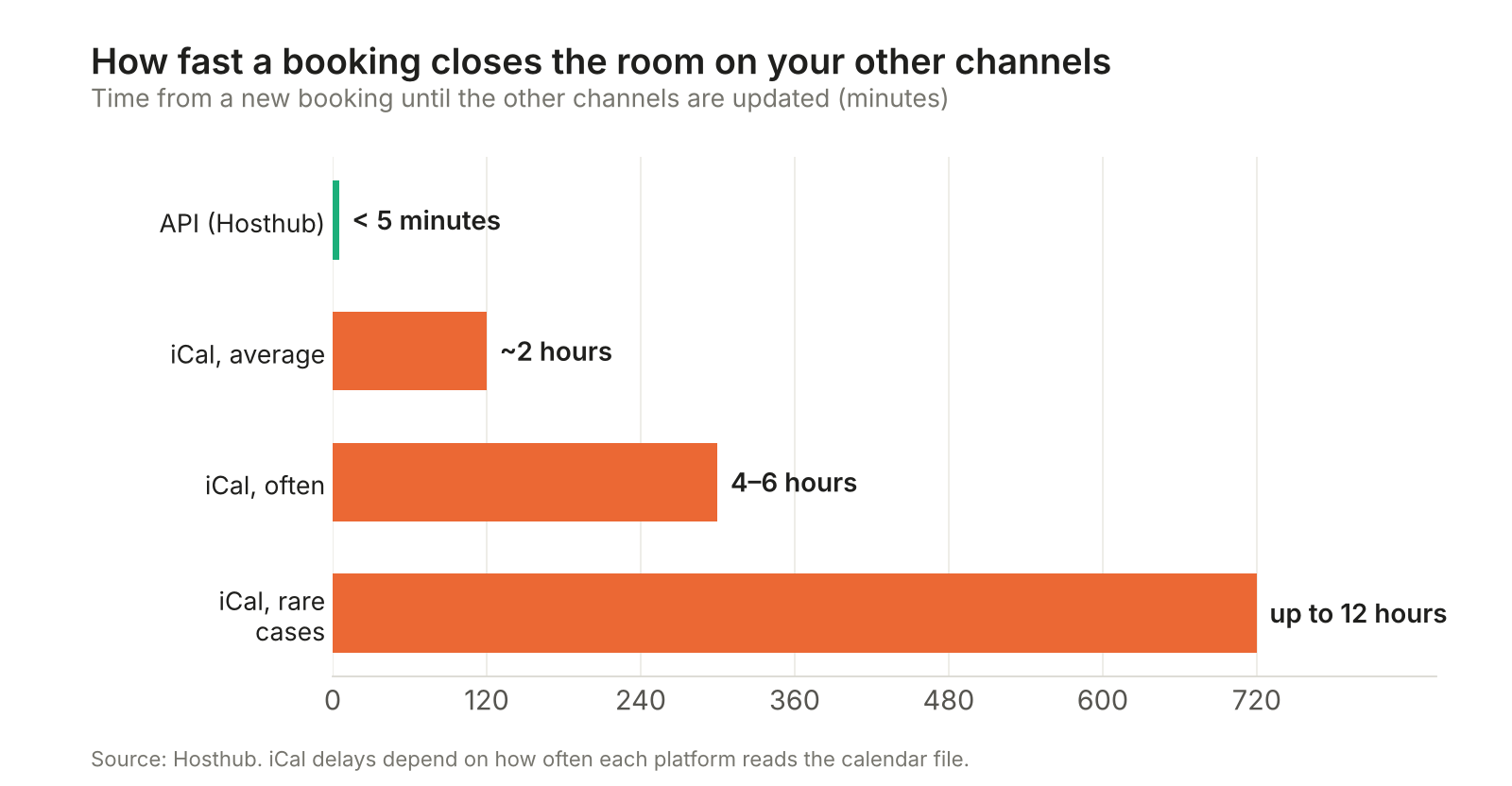
On a busy weekend, a two-hour window is plenty of time for the same night to be booked twice.
3. It depends on you
Even if you spot the new booking in your calendar right away, you still have to log in to every other site and block the dates yourself, at 2am, on vacation, or in the middle of a check-in.
What to use instead: a channel manager
If you list on more than one site, the tool that actually prevents double bookings is a channel manager. Instead of each site reading the others’ calendars every few hours, a channel manager connects to Airbnb, Booking.com, Vrbo and the rest directly and updates all of them as soon as a booking comes in.
Swipe the table to the right to see all columns ➜
| Google / Apple Calendar | iCal between sites | Hosthub channel manager | |
|---|---|---|---|
| Blocks dates on other sites | No | Yes, with a delay | Yes |
| Update speed | Hours | ~2 hours on average, up to 12 | Under 5 minutes |
| Syncs prices | No | No | Yes, with a markup per channel |
| Guest details and messages | No | No | Yes, in one inbox |
| If a double booking happens anyway | You handle it | You handle it | We handle it (Zero Double Booking Guarantee) |
| Cost | Free | Free | Per property per month, 14-day free trial |
With Hosthub:
- Every booking closes the dates everywhere on 200+ channels, in under 5 minutes.
- One calendar for all your properties, on your computer and your phone, with the guest’s name, dates, number of guests and payout.
- Prices sync too. Change a rate once and it goes to every channel.
- Zero Double Booking Guarantee on API-connected channels. If two bookings ever arrive in the same second, we contact the second guest, find them a place of the same or better value and cover the relocation cost up to your plan’s limit. See how it works.
- Still want your bookings in Google Calendar? You can keep the subscription for your personal view or share a calendar with your cleaner. It just should not be what keeps your listings in sync.
For more on why calendar links between booking sites are risky, read why iCal between channels is a bad idea, and see our guide to syncing Airbnb and Vrbo calendars.
Frequently asked questions
Can I sync Airbnb with Google Calendar from my phone?
Not the initial setup. The Google Calendar app cannot add a calendar from a URL, so add it once at calendar.google.com on a computer. After that, it shows on your phone if Sync is turned on for that calendar in the app’s settings. On an iPhone, you can add the Airbnb link directly in Apple’s Calendar app.
How often does Google Calendar update my Airbnb bookings?
Google does not publish an exact schedule. Subscribed calendars commonly refresh every 12 to 24 hours, and you cannot force a refresh, so a new booking can take a day to appear.
Is there a two-way sync between Airbnb and Google Calendar?
Not really. You can import a Google Calendar into Airbnb using its secret address in iCal format, so events you add in Google block dates on Airbnb, but Airbnb only checks imported calendars about every 3 hours, and Google refreshes subscriptions on its own slower schedule. It works for blocking personal dates well in advance, not for keeping booking sites in sync. For real two-way sync with other booking sites, use a channel manager.
Why does my Airbnb calendar in Google only say “Reserved”?
Airbnb’s calendar link only shares that the dates are booked, not the guest’s name or other details. To see full booking details in one place, use a tool connected to Airbnb directly, such as a channel manager or PMS.
Can I add Booking.com and Vrbo to the same Google Calendar view?
Yes. Each site has its own calendar export link. Add each one the same way and give each a different color. The same limitations apply: one-way, delayed, view-only.
Will syncing Airbnb with Google Calendar prevent double bookings?
No. It only shows your Airbnb bookings in Google Calendar. It does not block dates on other booking sites. To prevent double bookings across sites, you need a channel manager.
Sources: Airbnb Help Center, “Sync your Airbnb calendar to other websites”. Apple Support, “Add calendar subscriptions in iCloud”. Hosthub data on iCal sync delays. Steps checked October 2026; menu names may change.