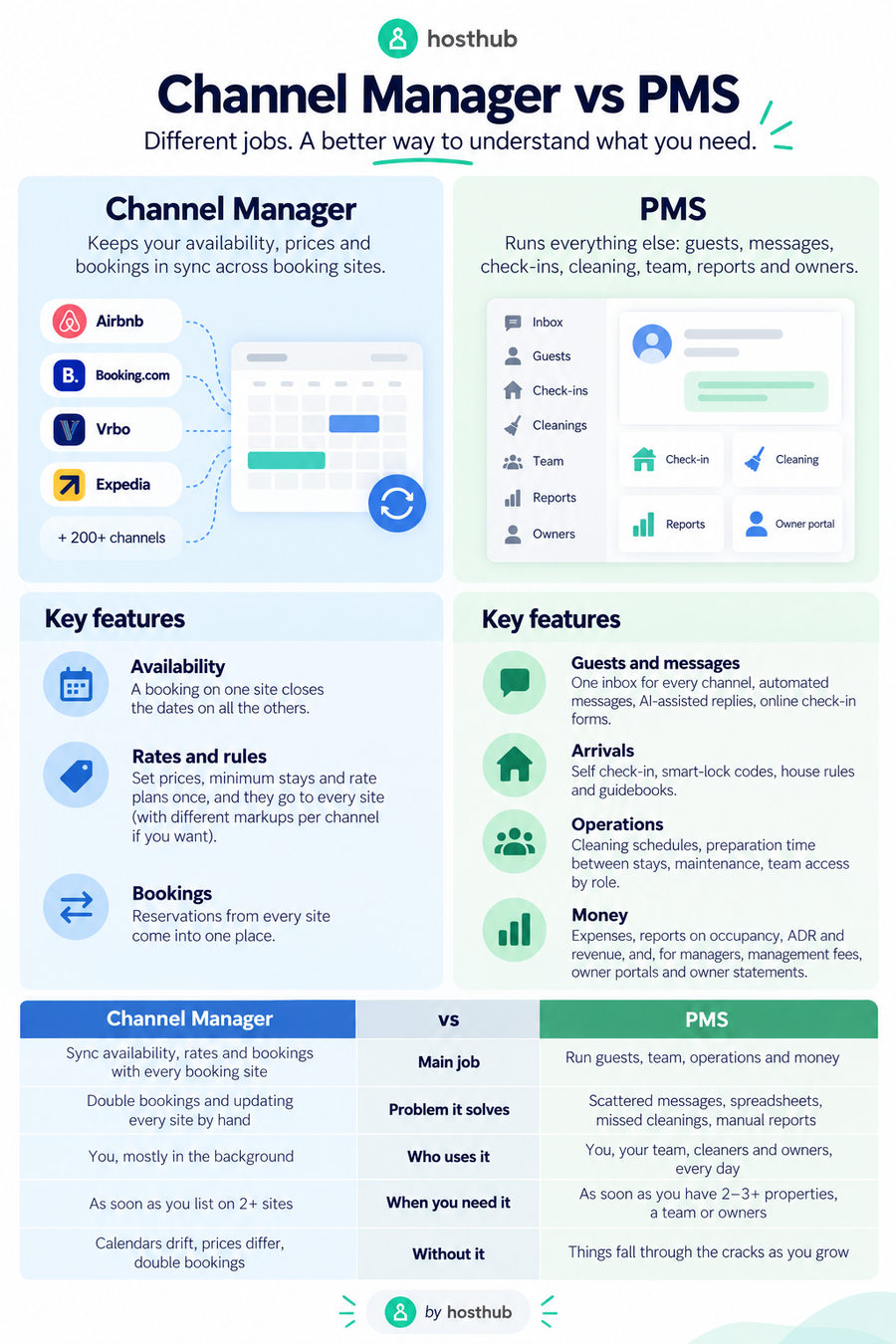
A channel manager keeps your availability and prices in sync across Airbnb, Booking.com, Vrbo and other booking sites. A PMS (property management system) runs everything else: guests, messages, check-ins, cleaning, team, reports and owners. If you list on more than one site, you need a channel manager. If you have more than a couple of properties, a team or owners to report to, you also need a PMS. Most hosts today get both in one system, which is cheaper and simpler than running two that have to talk to each other.
“PMS” and “channel manager” are often used as if they mean the same thing, and many products are sold as both. They are different jobs, though, and knowing the difference helps you avoid paying for two tools that overlap, or buying one that leaves a gap.
In this guide
- What a channel manager does
- What a PMS does
- PMS vs channel manager at a glance
- Do you need both? It depends on your setup
- All-in-one or two separate tools?
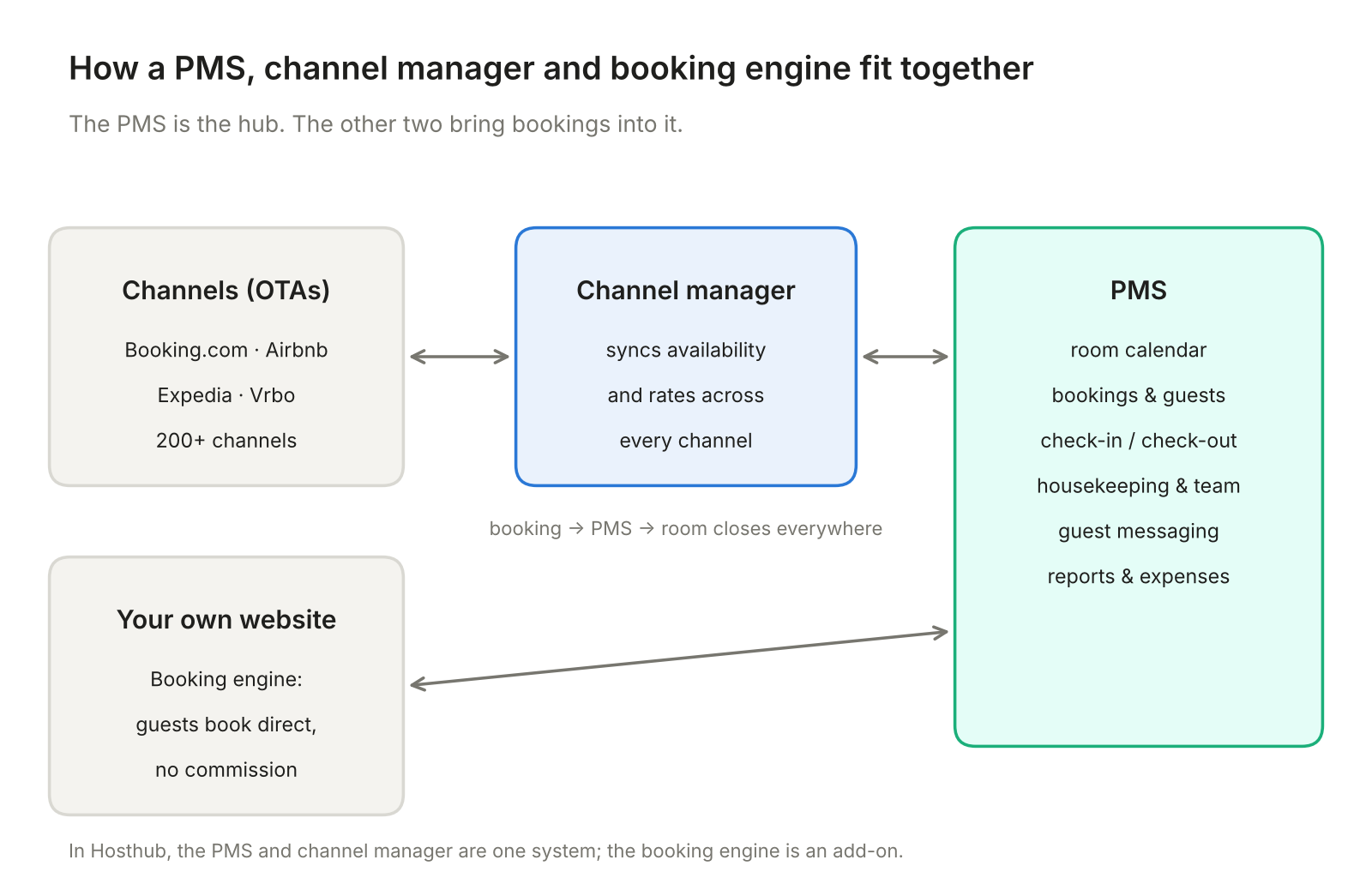
- Where the booking engine fits
- What to look for
- FAQ
What a channel manager does
A channel manager connects your properties to the booking sites (also called channels or OTAs) and keeps them identical:
- Availability: a booking on one site closes the dates on all the others.
- Rates and rules: you set prices, minimum stays and rate plans once, and they go to every site, with a different markup per channel if you want.
- Bookings: reservations from every site come into one place.
Its job is to make sure you never sell the same night twice and never update five calendars by hand. The best channel managers connect to the big sites through their official APIs, which sync in minutes rather than the hours iCal calendar links can take.
What a PMS does
A property management system runs the operation around those bookings:
- Guests and messages: one inbox for every channel, automated messages, AI-assisted replies, online check-in forms.
- Arrivals: self check-in, smart-lock codes, house rules and guidebooks.
- Operations: cleaning schedules, preparation time between stays, maintenance, team access by role.
- Money: expenses, reports on occupancy, ADR and revenue, and, for managers, management fees, owner portals and owner statements.
PMS vs channel manager at a glance
Swipe the table to the right to see all columns ➜
| Channel manager | PMS | |
|---|---|---|
| Main job | Sync availability, rates and bookings with every booking site | Run guests, team, operations and money |
| Problem it solves | Double bookings and updating every site by hand | Scattered messages, spreadsheets, missed cleanings, manual reports |
| Who uses it | You, mostly in the background | You, your team, cleaners and owners, every day |
| When you need it | As soon as you list on 2+ sites | As soon as you have 2–3+ properties, a team or owners |
| Without it | Calendars drift, prices differ, double bookings | Things fall through the cracks as you grow |
Do you need both? It depends on your setup
Swipe the table to the right to see all columns ➜
| Your situation | What you need |
|---|---|
| 1 property, only on Airbnb | Neither yet. Airbnb’s own tools are enough. |
| 1–2 properties on Airbnb and Booking.com | A channel manager. The PMS features (one inbox, automated messages) quickly become useful too. |
| 3–20 properties, a cleaner or co-host | Both: sync plus inbox, automation, team access, reports. |
| Managing properties for owners | Both, with owner portal, management fees and owner reports. |
| B&B or small hotel with identical rooms | Both, with room types (multi-unit) and a direct booking engine. |
| A hotel PMS you are happy with, but no channel sync | A channel manager that connects to your PMS. |
In practice, almost everyone who needs a channel manager soon needs the PMS side too: the same tool that receives every booking is the natural place to message the guest, schedule the cleaning and report the revenue.
All-in-one or two separate tools?
You can run a separate PMS and channel manager connected to each other, or one system that does both.
Swipe the table to the right to see all columns ➜
| All-in-one | Separate PMS + channel manager | |
|---|---|---|
| Cost | One subscription | Two subscriptions, sometimes plus a connection fee |
| Setup | One setup, one place to link listings | Two setups, plus mapping between them |
| Data | Bookings, messages and reports in one place | Data copied between systems, which can fall out of sync |
| When something breaks | One support team | Each vendor may blame the other |
| Best for | Most hosts and managers | Large hotels with a specialist PMS they cannot replace |
For vacation rentals, B&Bs and small hotels, an all-in-one system is almost always the better choice. Separate tools make sense mainly when you are tied to a hotel PMS with features no vacation-rental system offers, such as a restaurant point of sale or a night audit.
Hosthub is a channel manager and PMS in one:
- Channel manager: Airbnb, Booking.com, Vrbo, Expedia and 200+ channels, synced both ways in under 5 minutes, with per-channel pricing and a Zero Double Booking Guarantee on API-connected channels.
- PMS: one calendar, one inbox with an AI Co-host, automated messages, check-in forms, smart-lock codes, team access, reports, expenses, an owner portal and owner reports.
- Integrations with cleaning apps, dynamic pricing tools such as PriceLabs, smart locks and accounting software, for the specialist jobs.
- One price, from $13.60 per property per month for 2 to 10 properties on an annual plan, with a 14-day free trial.
Where the booking engine fits
The third piece is the booking engine: the part of your own website where guests book and pay directly, without a platform commission. It needs to be connected to your channel manager, or a direct booking becomes a double-booking risk. Hosthub’s booking engine syncs with all your channels and costs a one-time $599 for your existing website, or $799 for a complete website built for you.
What to look for
- API connections to the channels that bring most of your bookings, not just iCal.
- Sync speed in minutes, and a clear answer to “what happens if I get a double booking?”
- The PMS features you will use this year: inbox, automation, team access, owner reports. Not a list of features you will never touch.
- Room types and combined listings if you have identical rooms or rent a house both whole and by room.
- Transparent pricing per property, with a free trial and no setup fee.
- Support that answers fast, in your language, including on summer weekends.
For a full comparison of the main options, see our guide to the best channel managers for vacation rentals.
Frequently asked questions
What is the difference between a PMS and a channel manager?
A channel manager syncs availability, rates and bookings with booking sites such as Airbnb and Booking.com. A PMS manages the operation around those bookings: guests, messages, check-ins, cleaning, team, reports and owners.
Do I need a PMS if I have a channel manager?
With one or two properties, a channel manager may be enough. Once you have more properties, a cleaner or co-host, or owners to report to, you will want the PMS features too, ideally in the same system.
Can a PMS work without a channel manager?
Only if you sell on a single site or enter every booking by hand. As soon as you list on two or more sites, you need channel management to avoid double bookings.
Is Hosthub a PMS or a channel manager?
Both. Hosthub combines a channel manager for 200+ channels with a PMS that includes a unified inbox, AI Co-host, automated messages, team access, reports, expenses and owner reporting.
Is it cheaper to buy them separately?
Rarely. Two subscriptions plus the work of keeping them connected usually cost more than one all-in-one system, and you have two vendors to call when something goes wrong.
About Hosthub
Hosthub is a channel manager and property management system for short-term rental hosts, B&Bs, small hotels and property managers. It connects your properties to Airbnb, Booking.com, Vrbo, Expedia and 200+ other channels, keeps availability and rates in sync in under 5 minutes and backs it with a Zero Double Booking Guarantee, with one calendar, one inbox, automation, team access, reports and owner reporting in the same place. Try it free for 14 days.